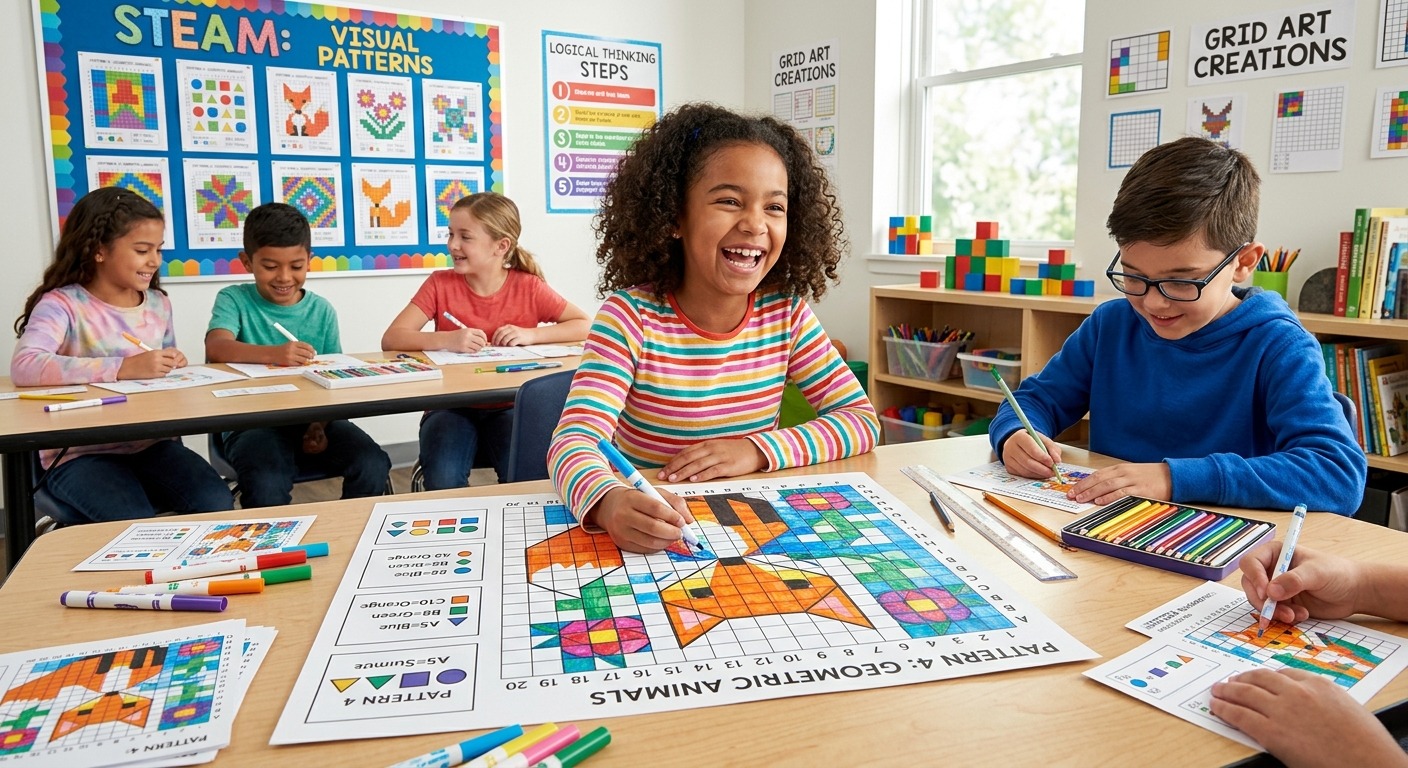
Grid-based thinking shows up everywhere. It lives in the pixels of a digital image, the tiles on a kitchen floor, the rows of a spreadsheet, and the quiet logic of a number puzzle. Yet in most classrooms, students meet these grids in complete isolation. Math is math. Art is art. They sit in separate rooms and rarely talk to each other. This lesson changes that. It pairs a Sudoku warm-up with a color-pattern mosaic or pixel-art project, and the result is a classroom that hums with both concentration and color. Students leave having done real logical thinking, and they barely notice it felt like math.
Lesson at a Glance
Students who work through constraint-based puzzles before creative tasks tend to make more deliberate, purposeful design choices. This two-part lesson activates spatial reasoning through Sudoku, then channels that structured thinking into a mosaic or pixel-art project. The result is a natural bridge between mathematical logic and artistic expression that students at every level can access, with built-in differentiation spanning grades 3 through 8 and a lesson framework teachers can adapt immediately.
What Grid Thinking Has to Do With Math and Art
Spatial reasoning is the ability to mentally picture and manipulate shapes, patterns, and arrangements in space. It is one of the strongest predictors of success in mathematics, and it is also central to how visual artists plan and organize compositions. According to math standards research from the leading body in mathematics education in the United States, procedural fluency and conceptual understanding work best when they develop together. Grid activities sit right in that overlap.
When a student works through a grid puzzle, they hold multiple rules in mind at once. They anticipate how one placement affects another. They self-correct without being told where they went wrong. Those are not strictly math skills. They are the same skills a graphic designer uses when balancing a color palette, or a muralist uses when deciding which tile goes where across a large wall. The cognitive demands are strikingly similar.
This is the core insight behind a STEAM lesson that pairs puzzles with pixel art. The grid is the shared vocabulary. Students learn it in one context and then apply it in another. That transfer is where the real learning happens.
Why Sudoku Is the Right Entry Point for Students
Teachers sometimes worry that Sudoku will frustrate students who already struggle with numbers. The truth is that Sudoku is not an arithmetic puzzle. It is a pattern-recognition puzzle. A student does not need to add, subtract, or multiply to complete one. They need to look at what is already in the grid and figure out what is missing.
That distinction matters enormously, especially for students who have already decided they are “not math people.” When a student who dreads fractions sits down, works through a puzzle, and actually finishes it, something shifts. They experience themselves as a logical thinker. That experience is worth every minute it takes.
For this warm-up, give students access to easy Sudoku puzzles at the start of class. These are low-stakes, accessible for first-timers, and short enough to complete in about ten minutes. The goal is not speed or competition. The goal is to notice how the grid functions: each row, column, and box follows the same rule, and every placement ripples through the rest of the grid.
After students finish, run a brief debrief. Ask what strategy they used. Did they scan rows first? Columns? Did they find a box that was nearly full and start there? These questions are not throwaway. They prime students for the art project that follows and introduce vocabulary that will reappear throughout the lesson: constraint, elimination, pattern, rule.
Moving the Grid From Numbers to Color
Here is where the lesson clicks. After the Sudoku debrief, introduce the visual art project with a single question: “What if instead of placing numbers in a grid, we placed colors?”
The conceptual jump is small but powerful. Students see the connection immediately. A Sudoku grid uses nine symbols arranged by rule. A color mosaic uses a palette arranged by choice. But both require thinking about the whole grid at once, not just one isolated cell at a time.
Frame the art project with constraints that mirror Sudoku logic. For example: no two adjacent cells can share the same color. Or each row must use every color in the palette at least once. Or the finished piece must have rotational symmetry across a center point. These rules feel familiar after the warm-up, and they push students toward deliberate, rule-aware design decisions rather than random coloring.
The constraint is the secret ingredient. Without it, students color whatever feels pretty. With it, they plan. They predict. They revise. That is the thinking this lesson is designed to build.
A Two-Part Framework You Can Run in One Class Period
This lesson fits comfortably into 50 to 60 minutes. It can also stretch across two shorter class periods if that better suits your schedule. Here is the step-by-step structure.
Part One: The Logic Warm-Up (About 15 Minutes)
- Print or display a set of puzzles appropriate for the grade level. Beginners do best with a 4×4 or 6×6 grid before moving to the standard 9×9 format.
- Give students 8 to 10 minutes to work independently and in silence. This is not a group task yet. Independent struggle is part of the learning.
- Pause for a 5-minute class debrief. Ask two or three students to share the strategy they used. Write key words on the board: constraint, elimination, pattern, rule.
- Bridge to the art project explicitly. A strong transition prompt: “You just used pattern logic to fill a grid with numbers. Now we are going to use that exact same thinking to fill a grid with color.”
Part Two: The Grid Art Project (About 35 to 40 Minutes)
Students apply grid logic to a creative task. The format is flexible. Choose whatever works best for your classroom setup and available materials:
- Paper mosaic: Students use a printed grid with colored markers or cut paper squares to create a pattern based on a specific set of color rules you provide.
- Pixel art on graph paper: Students design an 8×8 or 16×16 image using a limited palette, applying at least one constraint rule from the warm-up discussion.
- Digital pixel art: Google Sheets with colored cells, or any free browser-based pixel art tool, works well for classrooms with device access.
- Collaborative class mural: Each student completes one assigned section of a large shared grid. When assembled, the sections form a unified continuous pattern across the whole piece.
The key requirement across all formats is this: students must write down at least one rule they followed during their design process. That single step transforms a coloring activity into a genuine STEAM lesson. It connects the visual output back to the logical reasoning from the warm-up and gives students language to describe their own thinking.
Discussion Prompts That Go Deeper Than “What Did You Make?”
A strong closing discussion is what turns a fun activity into lasting learning. These prompts work across all grade levels and do not have single correct answers, which makes them accessible to quieter students and to students who struggled during the puzzle portion.
Start with: “Where did you get stuck, and how did you get yourself unstuck?” This surfaces the metacognitive experience of working under constraint. Students often describe using the same strategies in the Sudoku warm-up and in the art project, and pointing that parallel out lands with real impact.
Follow with: “If you could change one rule, which would you change, and why?” This asks students to think critically about the role of constraints in design. It opens a natural conversation about how rules function differently in math versus in art, and whether creative rules feel more or less restrictive than mathematical ones.
Close with: “What would this project look like if there were no rules at all?” Students almost always conclude that the constraints made their creative work more interesting, not less. That insight is one of the most durable things they carry away from this lesson, and it connects directly to how professional designers and architects actually work.
Differentiating Across Grades 3 Through 8
This lesson scales naturally without needing a complete redesign for each grade band. The adjustments are mostly about the complexity of the grid and the number of constraints students are asked to manage simultaneously.
Students in grades 3 and 4 thrive with 4×4 Sudoku grids and simple two-color or three-color pattern rules in the art project. The constraint can be as basic as “no two touching cells share a color.” That is enough to require genuine planning without overwhelming younger learners.
Students in grades 5 and 6 can handle 6×6 puzzles and more layered pattern rules, such as a repeating color sequence in each row or a reflective symmetry requirement across the finished piece. The art project can also expand to include a brief written explanation of the rule chosen, which adds a meaningful language arts component to the lesson.
Students in grades 7 and 8 are ready for full 9×9 puzzles and self-generated rule sets. Ask them to write their own design brief before starting the art project, specifying at least three constraints they will follow. This mirrors the way professional designers and architects actually structure their creative process, which makes for a meaningful discussion about real-world STEAM careers.
For students who finish the puzzle warm-up early, offer a challenge: create their own 4×4 puzzle for a classmate to solve. This flips the cognitive demand entirely. Building a valid puzzle requires a much deeper understanding of how the rules work than simply solving one.
For students who struggle with the puzzle, pair them with a partner for the warm-up only, then have them work independently on the art project. The art portion is more forgiving because there is no single correct answer. Students who feel defeated by the puzzle often rediscover their confidence the moment they pick up a marker or start clicking cells on a digital grid.
For English language learners, the visual nature of this lesson is a genuine asset. The grid is a shared language that does not depend on reading comprehension. Use visual anchor charts to display the color rules and let all students refer to completed examples throughout both parts of the lesson.
When a Grid Becomes a Window Into How Students Think
One of the most valuable outcomes of this lesson is what it reveals about individual students. Watching how a student approaches a Sudoku puzzle tells you a great deal about how they manage ambiguity, apply systematic thinking, and respond to being stuck. Watching how they then translate that into a visual art project tells you how they make decisions under creative constraint.
Teachers who use this lesson across multiple classes often report that it surfaces things about students that standard assessments never would. The student who blazes through the puzzle but agonizes over every color choice. The student who sits quietly during the entire warm-up, barely touching their pencil, then produces the most intricate pixel pattern in the room. The student who asks to start over three times because the rule they set for themselves kept breaking down, and who works through that frustration with genuine determination.
Grid art is not a novelty. It is a serious pedagogical tool that sits at the intersection of mathematical reasoning, visual literacy, and creative problem-solving. It earns its place in a STEAM classroom not because it is clever or new, but because it works across disciplines, across grade levels, and across the full range of learners in a typical classroom. Students leave having practiced genuine logical thinking, and they do not notice that it felt like math. That is the kind of teaching that sticks long after the class period ends.